
KEY FEATURES
Encrypt Huge Files in Seconds, Not Minutes
Encrypt your files on your own device and share them through private PGP Connections: small trusted groups where only approved members hold the keys to open what you send. There are no passwords to create, remember, or accidentally leak in an email.
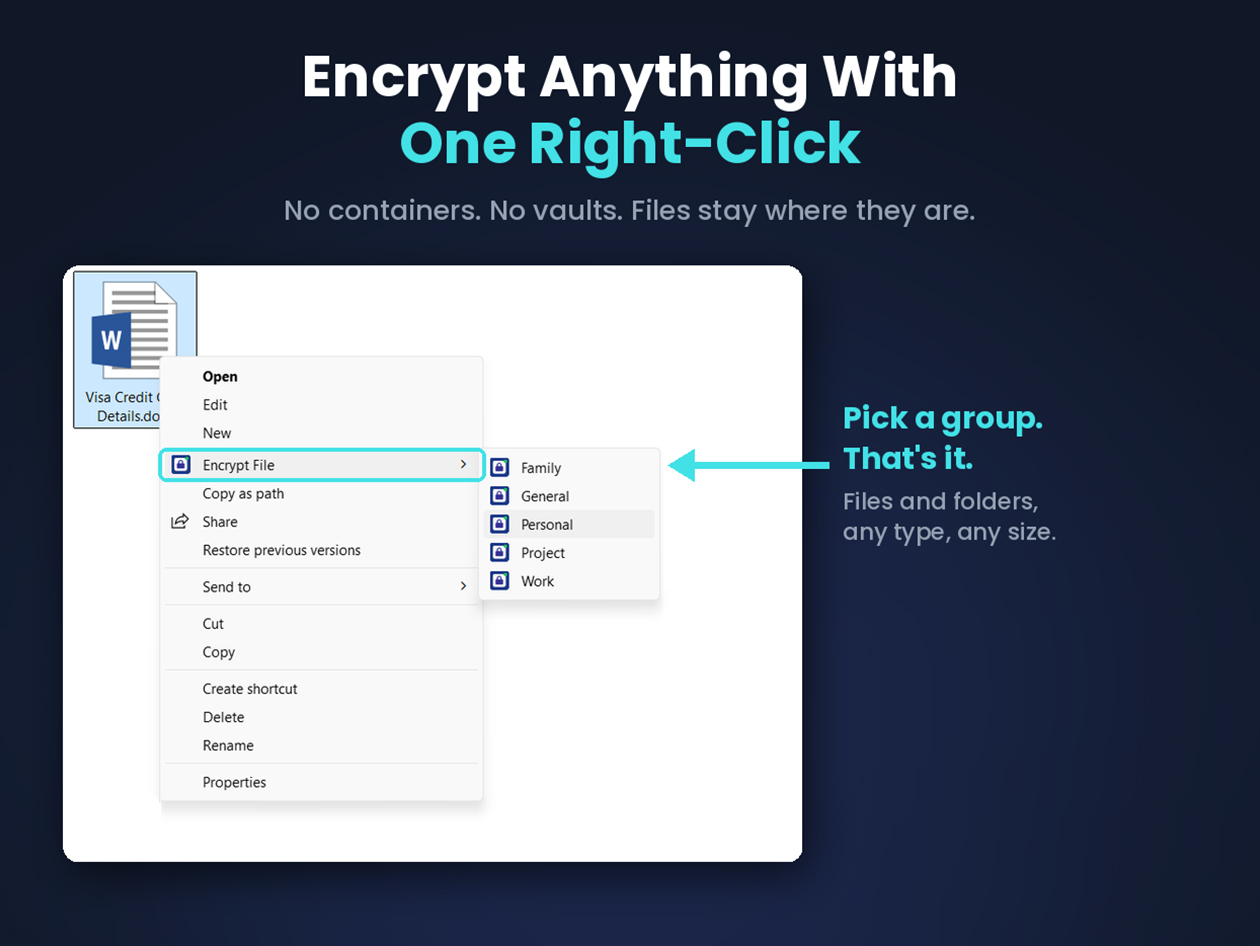
EncryptPro runs as a lightweight Windows app with simple right-click integration, so there’s no vault or container to manage. Your encrypted files stay accessible offline on any of your devices, and large files, even a 10GB video, start playing back instantly instead of making you wait for the whole thing to decrypt first.
EncryptPro encrypted a 10.6GB file in 35 seconds on a standard machine, dramatically faster than the leading paid alternative in this category on the same hardware. It also leaves anything you’ve already encrypted untouched even if your subscription lapses, so your files never lose protection strength over time.
The free plan gives you real, permanent AES-256 encryption with no file cap, no credit card, and no trial period. Stepping up to Personal additionally gets you PGP file sharing, 5 Security Groups, 10 combined connections, and Upgrade Lock’s full key-rotation for instantly cutting off a member’s access.
Military-Grade Encryption, Verifiably Secure
AES-256 Encryption: Military-grade protection applied to every file and folder you encrypt.
Zero-Knowledge Architecture: Built so EncryptPro itself cannot access your files, independently verifiable with tools like Wireshark and Glasswire.
No Cloud Storage or Sync: Nothing ever leaves your device; everything stays local by design.
Automatic Secure Delete: Originals are overwritten with zeros, then random data, across multiple passes, and never sent to the Recycle Bin.
5 Security Groups, Each Password-Protected: Organize files into separate groups, each with its own password, for different access levels.
Master Password Backup: One master password unlocks any group, so forgetting a group password never locks you out.
Share and Access Your Files, Anywhere
PGP Connections: Public-key secure sharing with up to 10 one-to-one connections, 2 members per connection.
Upgrade Lock Key Rotation: Rotate a connection’s keys anytime to cut off access for anyone you don’t share the new password with.
Viewer Only Mode: Open and edit your existing encrypted files forever, with no server and no subscription required.
Fully Portable Files: Encrypted files work from USB drives, external drives, or any folder you choose.
Offline Access Anywhere: Reach your encrypted data on any PC in the world, no internet connection required.
3 Active Devices per License: Use your license across 3 devices at once.
Built to Fit Into How You Already Work
Right-Click Integration for Files and Folders: Encrypt or decrypt straight from Windows Explorer, no separate app window needed.
Folder Encryption Stays Browsable: Encrypted folders remain navigable; only the files inside are locked.
On-the-Fly Access: Double-click any encrypted file to open it directly in its native app.
Streaming Decryption: Even large files open in seconds, with no waiting for the whole file to unlock first.
Custom Explorer Icons: See each file or folder’s group and lock state at a glance, even when EncryptPro isn’t running.
Free Updates for Life: Every future update is included at no extra cost, for as long as you use the app.
PRODUCT SPECS
System Requirements
Operating System: Windows 10 and Windows 11 (64-bit)
Processor: Any modern x64 processor
RAM: 2 GB minimum
Disk Space: 200 MB free
Internet connection required for installation.
Important Details
Length of access: Lifetime
Available to both new and existing users
Redemption deadline: Redeem your code within 30 days of purchase
Max number of devices: 3
Software version: 2.0.1
Updates included
Have questions on how digital purchases work? Learn more here!
Learn more about our lifetime deals here!
