
KEY FEATURES
Store, Edit, Share & Sign Without Extra Subscriptions
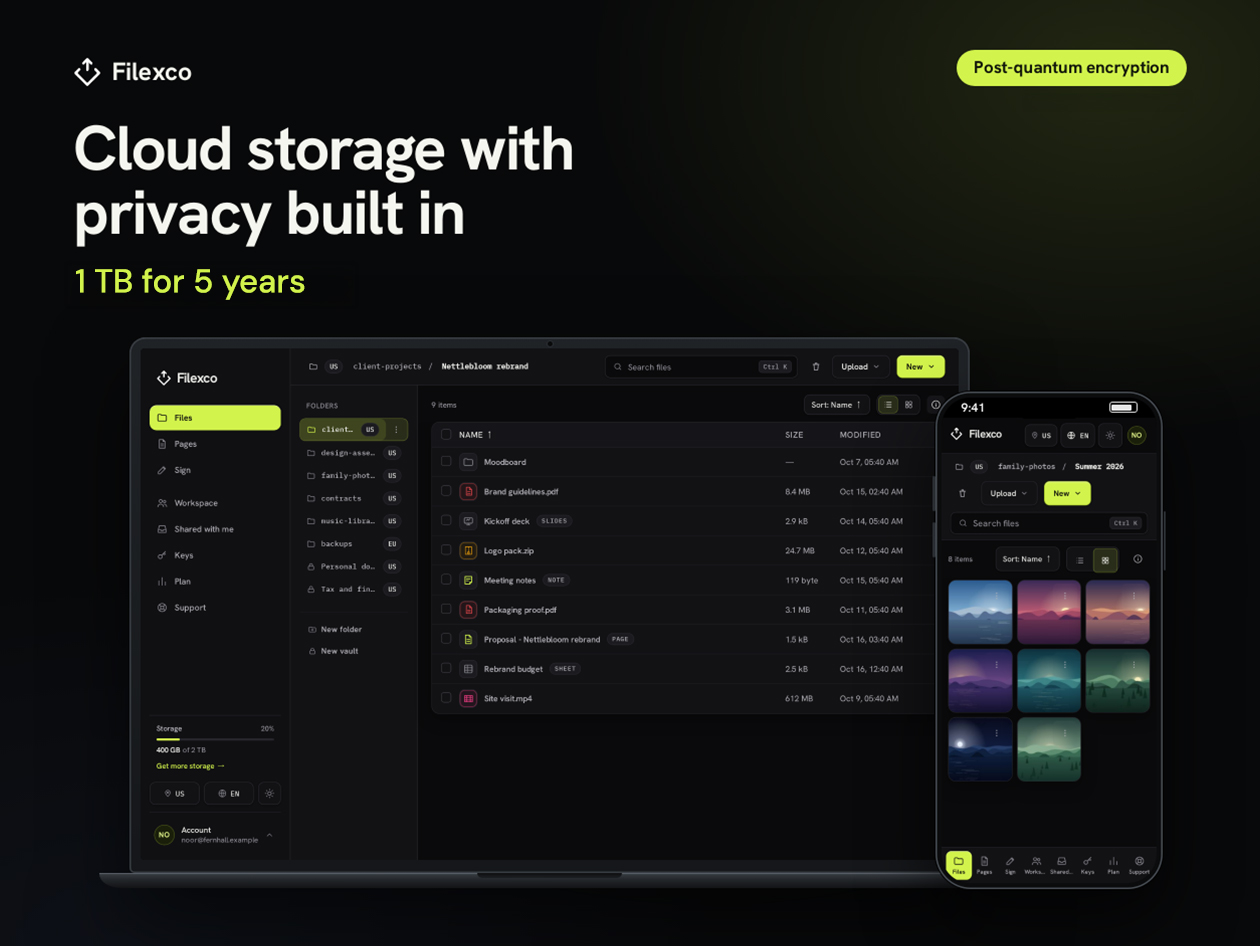
Get 1TB of encrypted cloud storage with built-in document editing and e-signatures for 5 years, paid once with no renewal. You can store files, edit Word, Excel and PowerPoint documents, share them by link and send contracts for signature, all from one Filexco account.
Use Filexco in any current browser on Windows, macOS, Linux or ChromeOS. You can also install the Windows or Mac desktop app for two-way folder sync and scheduled backups. WebDAV support lets tools like rclone and Cyberduck use your storage too, and the web app updates itself, so you’re always on the current release.
Free tools like Google Drive and Google Docs cover basic storage and editing. Filexco adds end-to-end encrypted vaults, which encrypt your files and file names in your browser before upload, plus e-signatures your signers can complete without an account. Files outside a vault live in standard folders encrypted at rest with keys Filexco manages, so keep financial, legal and ID documents in a vault.
Your plan covers up to 5 teammates in shared workspaces, and each teammate only needs a free Filexco account. When your 5 years end, you get 60 days to download your files or add storage. After that, files over the free limit are deleted.
Store, Sync & Back Up Everything in One Place
1TB Storage & 1TB Monthly Bandwidth: Room for documents, photos and project archives for 5 years.
Desktop Sync & Backup: The Windows and Mac apps sync folders both ways and back up your computer on a schedule.
WebDAV Access: Connect rclone, Cyberduck, or the network drive feature built into Windows and macOS for automated backups.
Version History & 30-Day Trash: Every save keeps a version you can restore, and files deleted in the web app stay in trash for 30 days.
Edit, Share & Sign Documents in Your Browser
Pages, Sheets & Slides: Write, calculate and present in your browser, with files that open and save as .docx, .xlsx and .pptx.
E-Signatures: Signers confirm their email instead of creating an account, and you can track who has opened and signed.
Secure Share Links: Set an expiry date, add a passcode, or make a link view-only.
In-Browser Previews: Play music and video and read PDF, Word, Excel and PowerPoint files without downloading them.
Encryption & Team Controls for Sensitive Work
End-to-End Encrypted Vaults: File contents, file names and file keys are encrypted with AES-256-GCM before upload.
Post-Quantum Vault Sharing: Hybrid X25519 + ML-KEM-768 encryption protects vaults you share with other Filexco accounts.
Encrypted Standard Folders: Files outside vaults are encrypted at rest, with a separate key for each account and each file version.
Team & Client Workspaces: Share folders and vaults with teammates and clients, and set owner, admin, editor or viewer roles.
PRODUCT SPECS
System Requirements
Web: Current Chrome, Edge, Firefox or Safari on Windows, macOS, Linux or ChromeOS
Windows app: Windows 10 or 11, 64-bit
Mac app: Current macOS, Intel or Apple Silicon
WebDAV: Compatible clients, such as rclone, Cyberduck, or the Windows and macOS network drive feature
Internet connection required
Important Details
Length of access: 5 years from the day you redeem your code. Paid once; does not renew.
Available to new and existing users
Redemption deadline: Redeem your code within 30 days of purchase
Storage & Bandwidth: 1TB of storage (1TB = 1,000GB). 1TB of bandwidth per calendar month (UTC), counting uploads and downloads. If you hit the limit, transfers pause until the monthly reset.
Users & Devices: Up to 5 teammates, each with a free Filexco account. Up to 20 devices signed in to Filexco apps at once.
Updates & Exclusions: Updates to current features are included. Paid tools Filexco releases later may be sold separately. No Linux desktop app (Linux works through the web app).
Updates included
Have questions on how digital purchases work? Learn more here
